Introducing Lesson Garden for iPhone, iPad, and Apple Watch
We’re excited to introduce Lesson Garden, a new homeschool lesson planner for iPhone, iPad, and Apple Watch. It isn’t in the App Store yet, but we’re looking for homeschool families to try it early as beta testers. If that sounds like you, sign up at lessongarden.app.
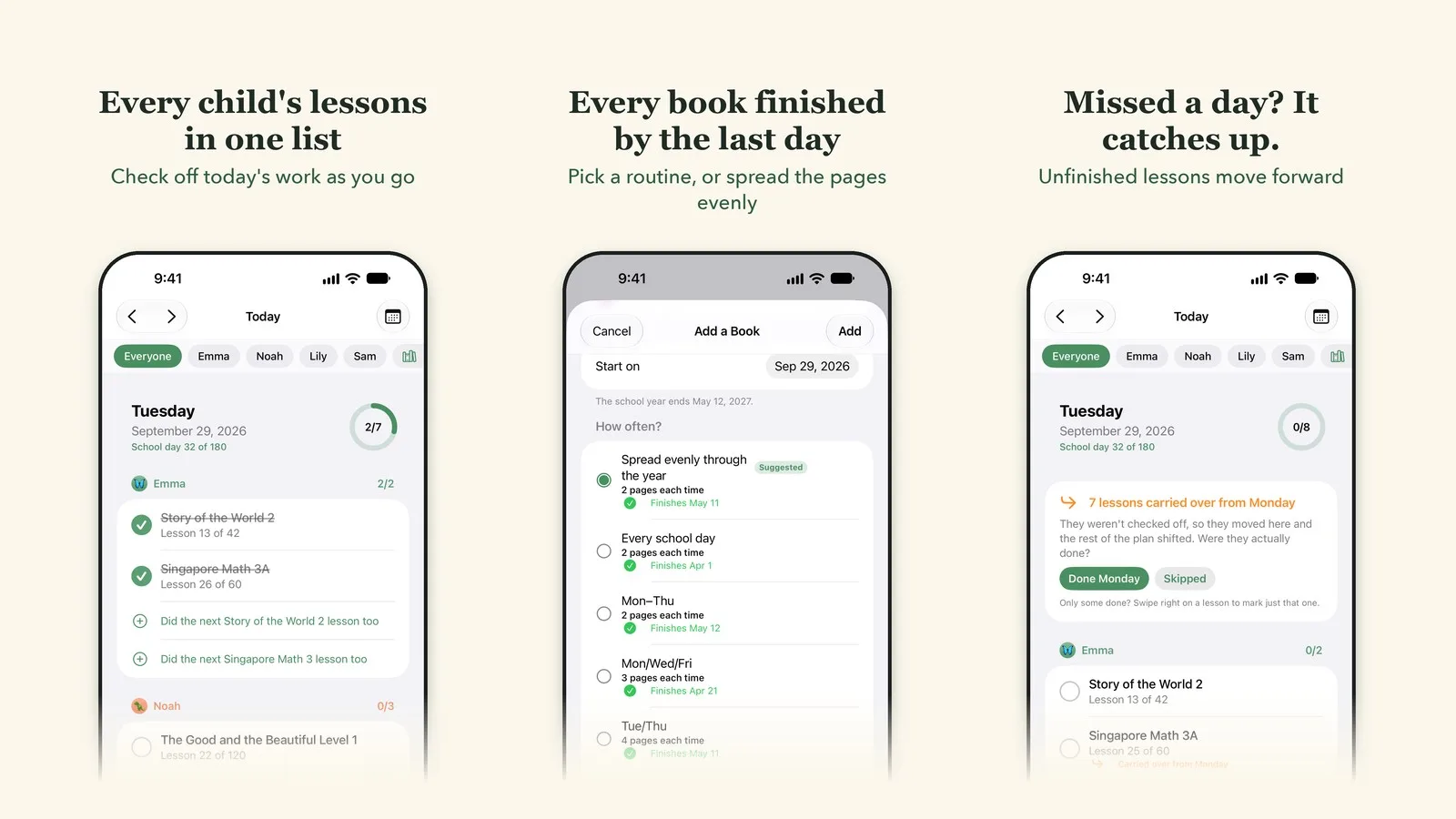
Plan the whole school year in minutes
Planning a homeschool year usually means sitting down with a calendar and a stack of curriculum, then working out how many lessons a week each book needs. Lesson Garden does that math for you.
Tell it how many lessons or pages are in each book, and it spreads them across your school year so every book finishes on the last day of school, not weeks early or late. Prefer a routine? Compare every school day, Monday through Thursday, Monday/Wednesday/Friday, and more, each with the date it would finish. Lesson Garden suggests the lightest schedule that still gets you there and warns you when a pace would run past the end of the year.
It handles books with numbered lessons and books with pages, curricula that come in more than one book (like Math 2A then 2B), and books you’re already partway through.
A simple checklist for every child
Each morning, today’s lessons are waiting, grouped by child in their own color. Tap to check them off as you go. Subjects the whole family does together, like history or a read-aloud, show up once, and one tap checks them off for everyone.
Real school days don’t always go as planned, so the plan keeps up. Unfinished lessons carry over to the next school day, and if your kids work ahead, the rest of the book moves up. Breaks and holidays are skipped automatically.
On iPhone, iPad, and Apple Watch
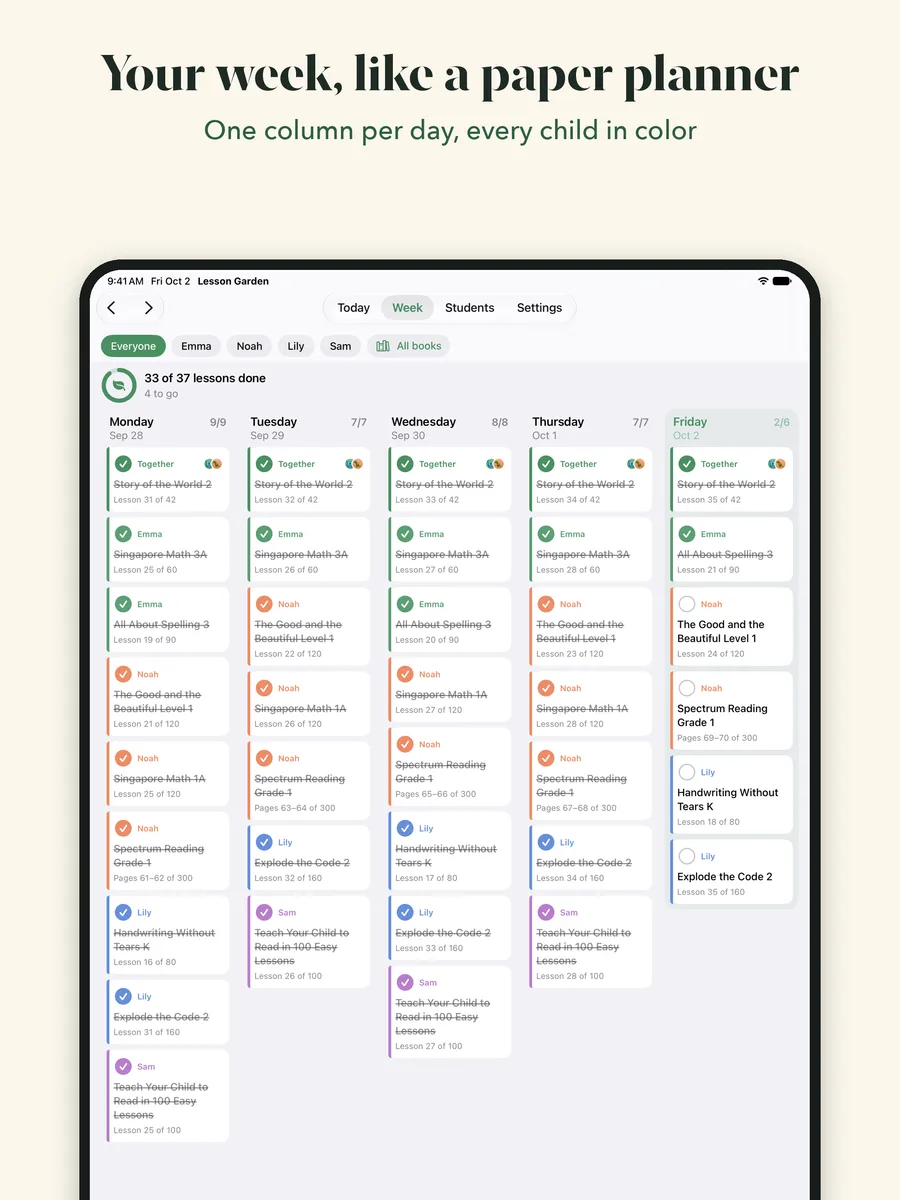
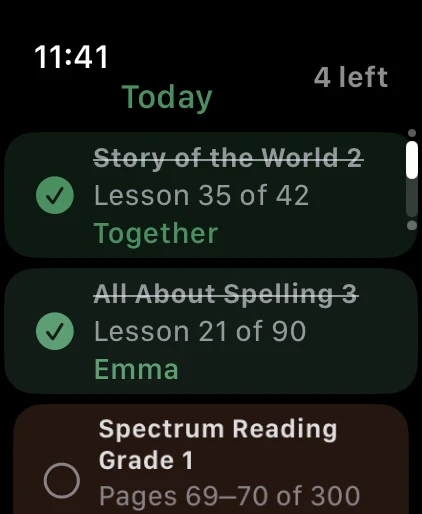
- iPhone: your daily checklist, plus Home Screen and Lock Screen widgets that show what’s next and how far each child has come.
- iPad: everything on iPhone, plus a week view laid out like a paper planner, one column per day, so you can look ahead on Sunday night.
- Apple Watch: see today’s lessons and check them off from your wrist, with a “lessons left” count right on your watch face.
Both parents can share the same plan on their own devices, so a lesson checked off on one phone shows up on the other. Everything works offline, too, in the car, at the park, or at Grandma’s.
From the makers of Transcript Maker
We’ve been building software for homeschool families since 2006, when we launched Transcript Maker to help parents create high school transcripts. Lesson Garden is for the years before that: a simple way to plan and check off the day-to-day lessons with younger kids.
Become a beta tester
Lesson Garden will be free for up to two students, with an optional upgrade for larger families and sharing between parents. Before it reaches the App Store, we’d love feedback from real homeschool families. Visit www.lessongarden.app, leave your email, and check the box to try it early as a beta tester. We’ll email you an invitation to the beta.